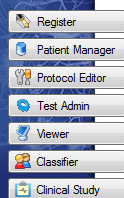
The COGNISION™ Software System includes modules used to setup, administer, and view EEG/ERP tests and test data. The software also includes modules often used in neuroscience and clinical research. The Launcher is the gateway to these COGNISION™ Software modules.
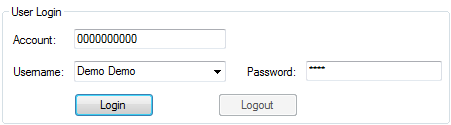
To access the COGNISION™ modules, all users must login through the Launcher by entering the Account, Username, and Password provided to them by Neuronetrix Customer Support or their designated Primary User.
Connection Status
After you launch the COGNISION™ Software, confirm that you are connected to the COGNISION™ Server.
NOTE: If the Launcher fails to connect, please contact your system administrator or Neuronetrix Customer Support.
NOTE: This number should have been emailed to your primary user by Neuronetrix Customer Support. If you did not receive this number, please email your request to support@neuronetrix.com.
Then select the Username that was provided to you by Neuronetrix Customer Support or by your Primary User.
NOTE: The Primary User is initially created Neuronetrix Customer Support. Additional users can be added by the Primary User.
Finally, enter the Password that was assigned by your Primary User and click Login.