All Users of the COGNISION™ System will need to be registered before they can use any system resources.
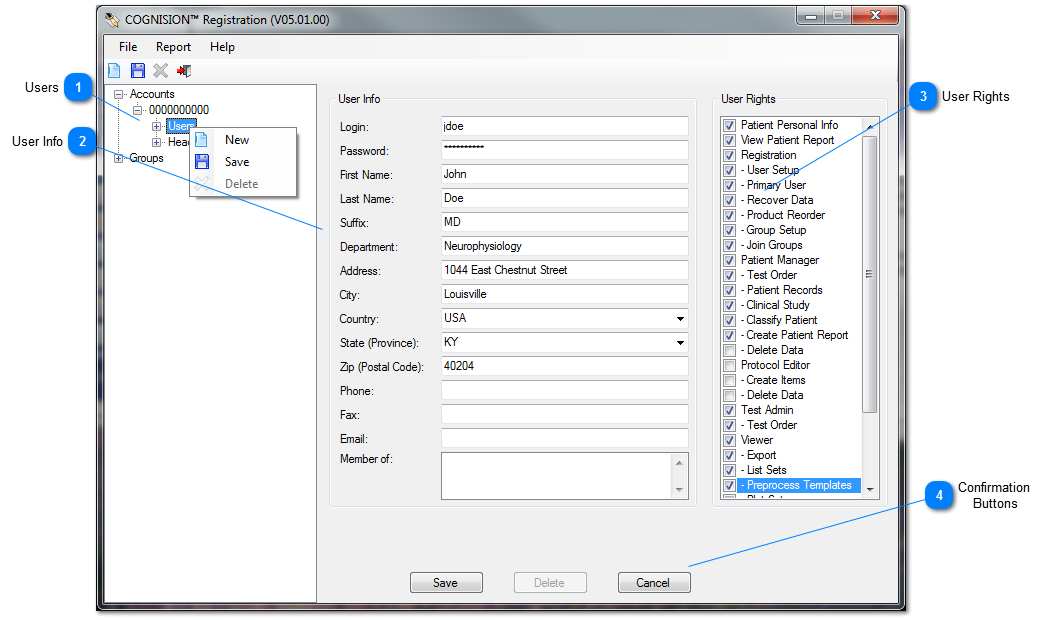
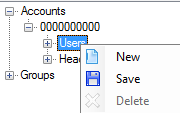
 Users Highlight Users, right-click and select New.
|
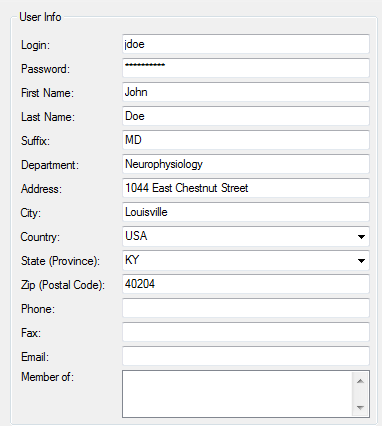
 User Info Enter all User Info.
|
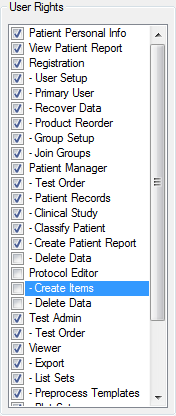
 User Rights Select the appropriate User Rights:
User Rights Definitions
|
Patient Personal Info:
|
May view personal patient information
|
|
View Patient Report:
|
Can view a patient report once it has been created
|
|
Registration:
|
Can access Registration Module
|
|
- Account Setup:
|
Can setup new Accounts (reserved for Neuronetrix)
|
|
- User Setup:
|
Can setup new Users in this Account
|
|
- Primary User:
|
The primary contact for Neuronetrix
|
|
- Recover Data:
|
Can recover different types of data stored in the database
|
|
- Product Reorder:
|
Can reorder supplies and products
|
|
- Group Setup:
|
Can setup new Groups
|
|
- Join Groups:
|
Can join Groups
|
|
- Hardware Reorder:
|
Can reorder new COGNISION™ Hardware or Disposables
|
|
- Report Creation:
|
Can create COGNISION™ Reports
|
|
- Delete Data:
|
Can delete various types of data
|
|
- Investor Web:
|
Can access Investor site on www.neuronetrix.com
|
|
Patient Manager:
|
Can access Patient Manager Module
|
|
- Test Order:
|
Can order COGNISION™ Tests for designated subjects
|
|
- Patient Records:
|
Can access patient records
|
|
- Clinical Study:
|
Can access misc. clinical study data
|
|
- Classify Patient:
|
Can Classify subjects
|
|
- Create Patient Report:
|
Can create a Patient Report
|
|
Protocol Editor:
|
Can access Protocol Editor Module
|
|
- Create Items
|
Can create Protocols
|
|
Test Admin:
|
Can access Test Admin Module
|
|
- Test Order
|
Can order a COGNISIONTM EEG/ERP Test
|
|
Viewer:
|
Can access the Viewer Module
|
|
- Export
|
Can export data
|
|
- List Sets
|
Can create a List Set
|
|
- Preprocess Template
|
Can create a Preprocess Template
|
|
- Plot Sets
|
Can plot a data-set
|
|
Classifier Creation:
|
Can access Classifier Module
|
|
- Build Classifier
|
Can build Classifier types
|
|
Clinical Study:
|
Can access Clinical Study Module
| |
 Confirmation Buttons Click Save to save the new User or Cancel to cancel the operation.
Click Delete when editing a User to delete that User.
|