Follow the instructions below to change the client configuration host settings.
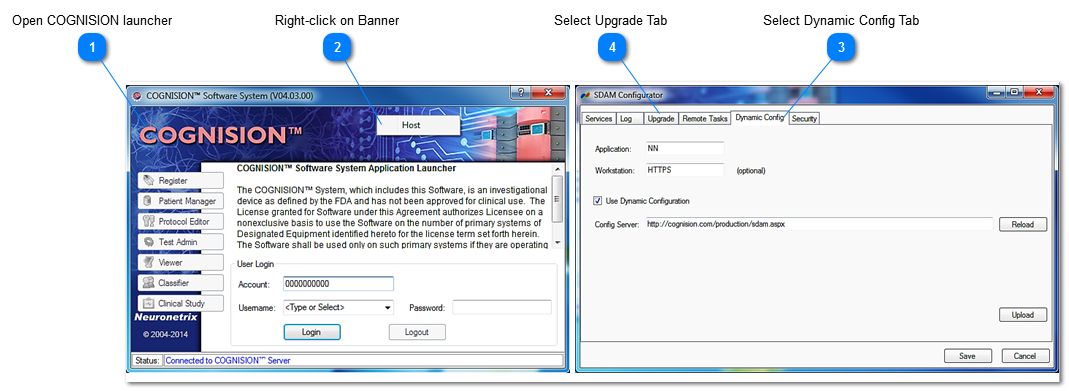
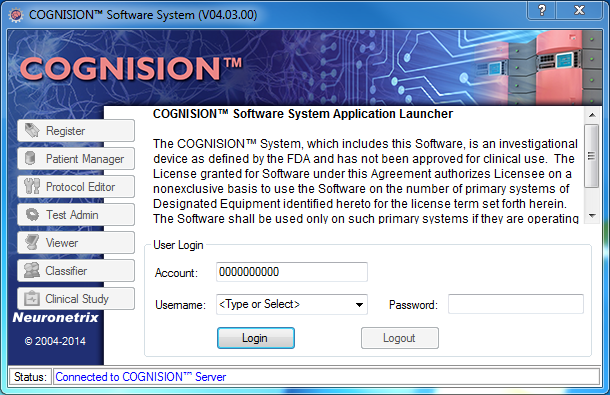
 Open COGNISION launcher |
|
 Right-click on Banner Click Host
|
|
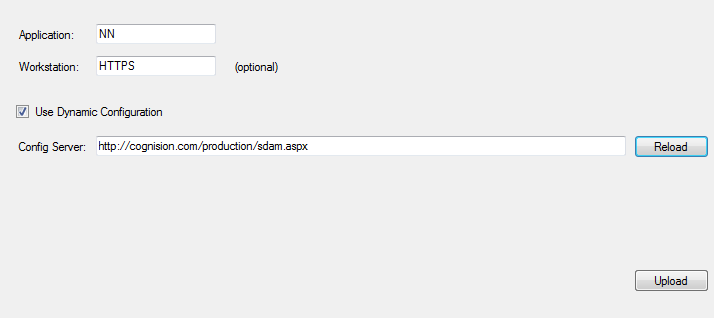
 Select Dynamic Config Tab
Ensure that all fields read the following:
-
-
-
Use Dynamic Configuration:  (checked) (checked)
-
Config Server: http://cognision.com/production/sdam.aspx
After making the changes, confirm all settings are correct.
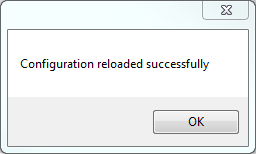
Click Reload and a confirmation pop up will inform you that the reload was successful:
NOTE: If you receive an error message, check the settings and your internet connectivity and try again.
Click  to save changes. COGNISION TM launcher must be closed and reopened for changes to take effect. |
|
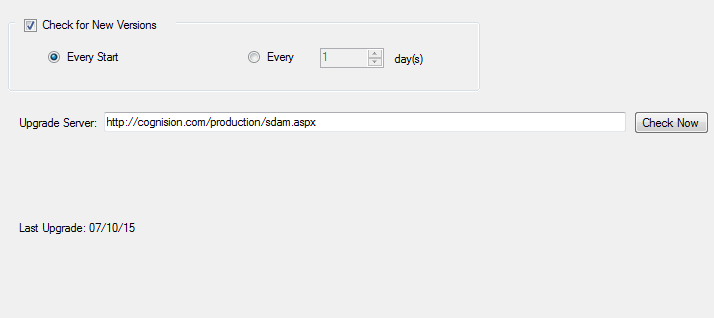
 Select Upgrade Tab
Ensure that all fields read the following:
-
Check for New Versions: (checked) -
Every Start:  (selected) -
Upgrade server: http://cognision.com/production/sdam.aspx
After making the changes, confirm all settings are correct.
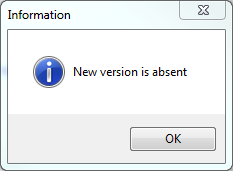
Click  and a "New Version is Absent" Popup confirmation will appear confirming the changes were successful. Click Ok
NOTE: "New Version is absent" means that no newer version is available and current version is correct.
Click to save changes. COGNISION TM launcher must be closed and reopened for changes to take effect. |
|