Monitor the Test
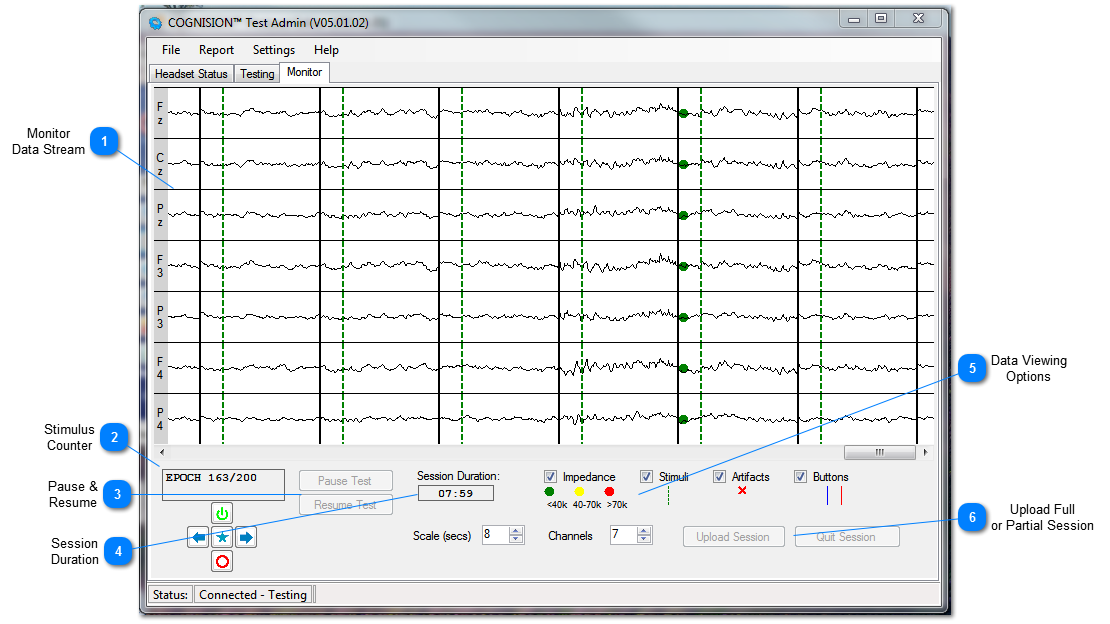
Once the test begins:
-
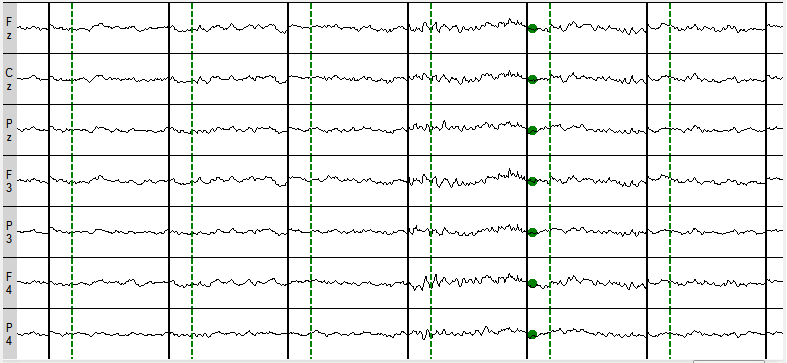
User should monitor the live data stream and keep track of test timing
-
User may be pause and resume the test at any time
-
User may restart the test from the beginning
-
User may upload a partial session if a full session cannot be completed








|
Type
|
Description
|
Display
|
Corrective Action
|
Key
|
|
Cable Error
|
Occurs when the HCU is not connected to the Harness with the HCU Cable.
|
CHECK CABLE!
PRESS >
|
Connect the HCU to the Harness with the HCU Cable
|
>
|
|
Memory Error
|
Occurs when a test is run unusually long and the memory becomes completely full of data.
|
OUT OF MEMORY!
PRESS >
|
The test will terminate and the data can then be uploaded. Press:
|
>
|
|
Battery Too Low
|
Occurs at HCU boot up.
|
BATTERY TOO LOW
PLEASE WAIT...
|
Plug the HCU back into the charger and allow to charge.
|
|
|
Impedance Error
|
Occurs when an electrode (1, 2, 3, 4, 5, 6, 7, R) has an impedance too high to run the test (>70kΩ). See Troubleshooting Artifacts
|
CHECK 1234567R
< RECHECK OK >
|
Reprep the scalp for the referenced electrode and press:
|
>
|
|
|
The test will continue normally after the referenced electrode has been reprepped.
|
EPOCH N/M
|
|
|
|
Artifact Error
|
Occurs when any electrode channel (1, 2, 3, 4, 5, 6) records an EEG signal above the Artifact Threshold (default = ±100µV). See Troubleshooting Artifacts
|
ARTIFACT
123456!
|
The test will automatically rerun the portion of the test where the artifact occurred. No action is required unless the Max Errors (default = 50) is exceeded.
|
|
|
Max Errors
|
Occurs when the total number of epochs run exceeds the Max Errors preset (default = 50). See Troubleshooting Artifacts
|
MAX ERRORS!
PRESS >
|
The test will terminate with the Error status. To upload the data recorded up until this point, press:
|
>
|
|
Max Test Duration
|
Occurs when the total test time exceeds the Max Test Duration preset (default = 30min). See Troubleshooting Artifacts
|
TEST TIME IS UP!
PRESS >
|
The test will terminate with the Error status. To upload the data recorded up until this point, press:
|
>
|
|
Incorrect Button Press
|
For ERP paradigms which require the patient to press a button in response to a specific stimulus, the patient may not perform the task or may perform the task incorrectly.
|
|
Pause the test by pressing and holding for 3 seconds:
|
O
|
|
|
|
TEST WILL PAUSE
AT END OF EPOCH...
|
|
|
|
|
|
END SESSION 0
< RESET RESUME >
|
When the test pauses, remove an Earphone and give the button instructions to the patient again. Replace the Earphone and press:
|
>
|